Purchase Invoices, WKA Chain Liability & SEPA Payment Batches
The Purchase Invoices module automates incoming bill processing for suppliers and subcontractors, with native support for the Dutch Chain Liability Act (Wet Ketenaansprakelijkheid - WKA), automated G-account split payments (default 45%), and ISO 20022 SEPA Pain.001.001.03 payment batch XML generation.
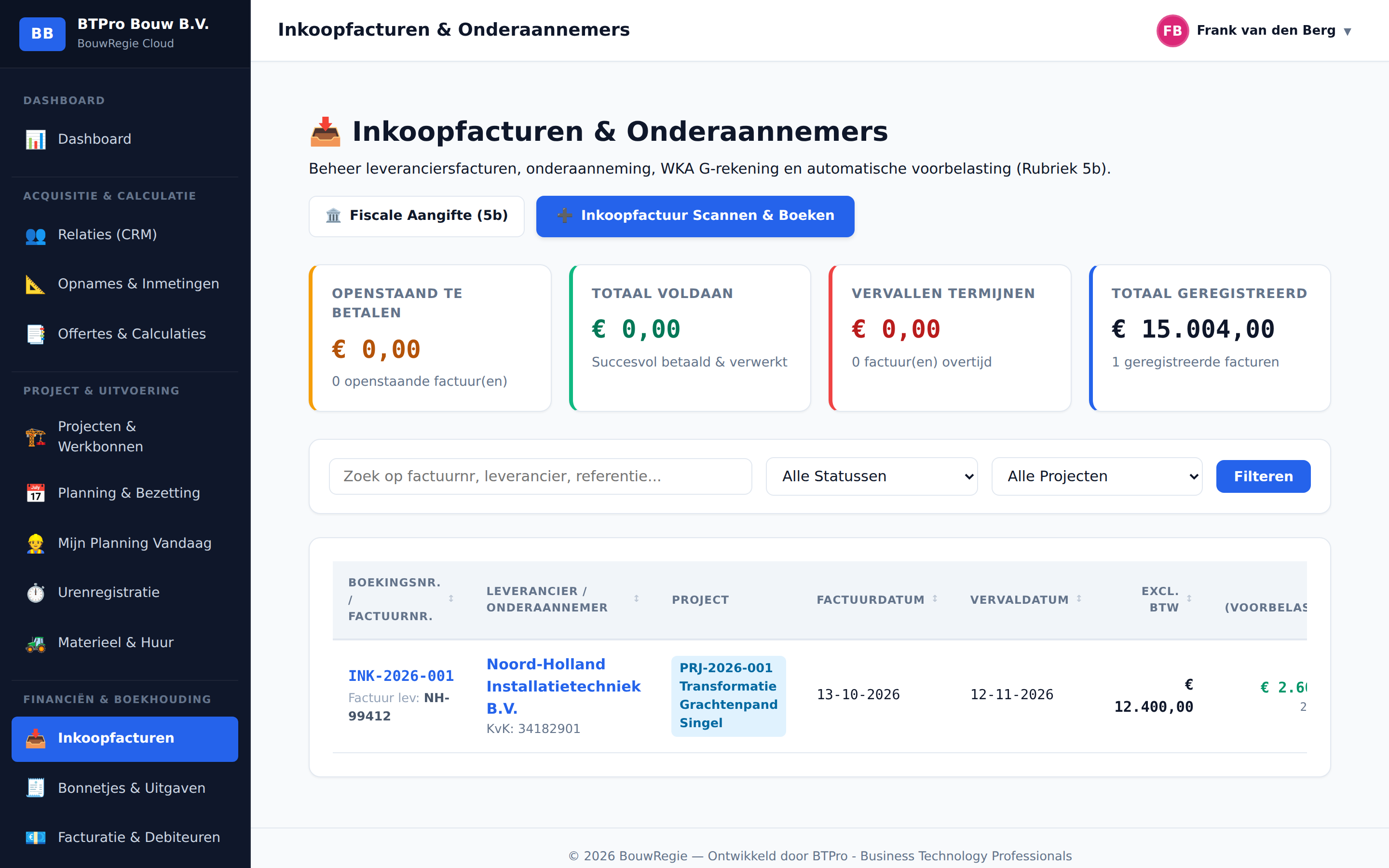
Digital Invoice Processing & OCR
- Drag-and-Drop Split-Screen: Drag a PDF bill onto the scanner pane to view the document and extraction form side by side.
- Automated Field Recognition: Automatically parses supplier name, invoice reference, issue date, due date, net amounts, and tax brackets (21%, 9%, 0% or VAT Shifted / Verlegd).
- Smart CRM Matching: Matches existing suppliers by Chamber of Commerce (KvK) number, IBAN, or trading name. Instant onboarding of new suppliers with 1 click.
- Project Budget Tracking: Directly binds invoices to active construction projects for real-time post-calculation and actual cost analytics.
WKA & G-Account Protection (45% Split)
Dutch Chain Liability Act (WKA) Explained
Under Article 35 of the Dutch Collection of State Taxes Act (Invorderingswet 1990), main contractors who subcontract construction, demolition, or installation work are held jointly and severally liable for unpaid wage withholding tax and social security premiums owed by their subcontractors. If a subcontractor defaults on tax liabilities, the Dutch Tax Authority (Belastingdienst) can collect these sums from the main contractor.
Liability Indemnification via Blocked G-Accounts
To secure statutory indemnification against chain liability, the main contractor must remit the estimated wage component directly into the subcontractor's blocked bank account (G-rekening). Funds deposited into a verified G-account can solely be used for payments to the Dutch Tax Authority. Remitting payments to a verified G-account provides the main contractor with legal indemnification up to the deposited amount.
Automated 45% / 55% Split in BouwRegie
- Subcontractor / WKA Flag: Selecting a CRM partner flagged as a subcontractor or having a registered G-account automatically engages the WKA protection protocol.
- Default 45% to G-Account: 45% of the invoice amount (the standard statutory deemed wage component in Dutch construction) is assigned to the G-account.
- 55% Remainder to Regular IBAN: The remaining 55% (intended for materials, equipment, and profit margins) is remitted to the subcontractor's standard commercial IBAN.
- Manual Labor Override: When contractual terms specify a different labor ratio (e.g., 35% or 60%), users can override the percentage or enter the exact wage amount. The remaining portion automatically recalculates in real-time.
SEPA Pain.001.001.03 XML Payment Batch Generation
BouwRegie eliminates manual retyping of bank transfers and G-account split entries in online banking portals.
How SEPA Payment Export Works
- Invoice Selection: In the purchase invoices overview (
/purchase-invoices), check the boxes for the approved or open bills you want to pay. - Generate Batch: Click the [💳 Generate SEPA Payment Batch (Pain.001)] action button.
- Automatic Dual Transactions for WKA Invoices:
- Invoices with WKA splitting automatically result in two distinct transactions in the SEPA batch:
- Transaction 1 (Regular Account): Remainder amount (55%) to the regular commercial IBAN with remittance text
Invoice {number} [Regulier]. - Transaction 2 (G-Account): Wage tax portion (45%) to the blocked G-account IBAN with remittance text
Invoice {number} [G-Rekening 45%].
- Transaction 1 (Regular Account): Remainder amount (55%) to the regular commercial IBAN with remittance text
- Standard non-WKA invoices generate a single transaction for the total invoice amount.
- Invoices with WKA splitting automatically result in two distinct transactions in the SEPA batch:
- Strict ISO 20022 Schema Validation:
- Generates fully compliant ISO 20022 XML adhering to
urn:iso:std:iso:20022:tech:xsd:pain.001.001.03. - Incorporates Group Header
<GrpHdr>with Message ID, creation timestamp, transaction counts, control sum<CtrlSum>, debtor details (<Dbtr>with IBAN and BIC), and individual transactions (<CdtTrfTxInf>). - Every IBAN undergoes algorithmic validation via the Mod-97 checksum prior to file output.
- Generates fully compliant ISO 20022 XML adhering to
- Bank Upload:
- Download the generated XML file.
- Upload the XML directly into commercial portals of ABN AMRO, Rabobank, ING, or any European SEPA banking system under Batch Payments / File Import.
- Authorize with your digital token or banking app to execute all regular transfers and G-account deposits simultaneously.
Payment Batches History & Audit Trail
The 🏦 SEPA Payment Batches tab provides an archive of all generated batches:
- Batch Reference: Unique batch identifier (e.g.,
BATCH-20261018-XXXX). - Creation Timestamp & User: Audit trace of who triggered the batch export.
- Transaction Count & Total Value (€).
- Download Action: Re-download valid XML files at any time.
- Direct Invoice Cross-Link: Each purchase invoice row reflects whether it has been batched and provides immediate access to the associated batch XML.